Care Tags
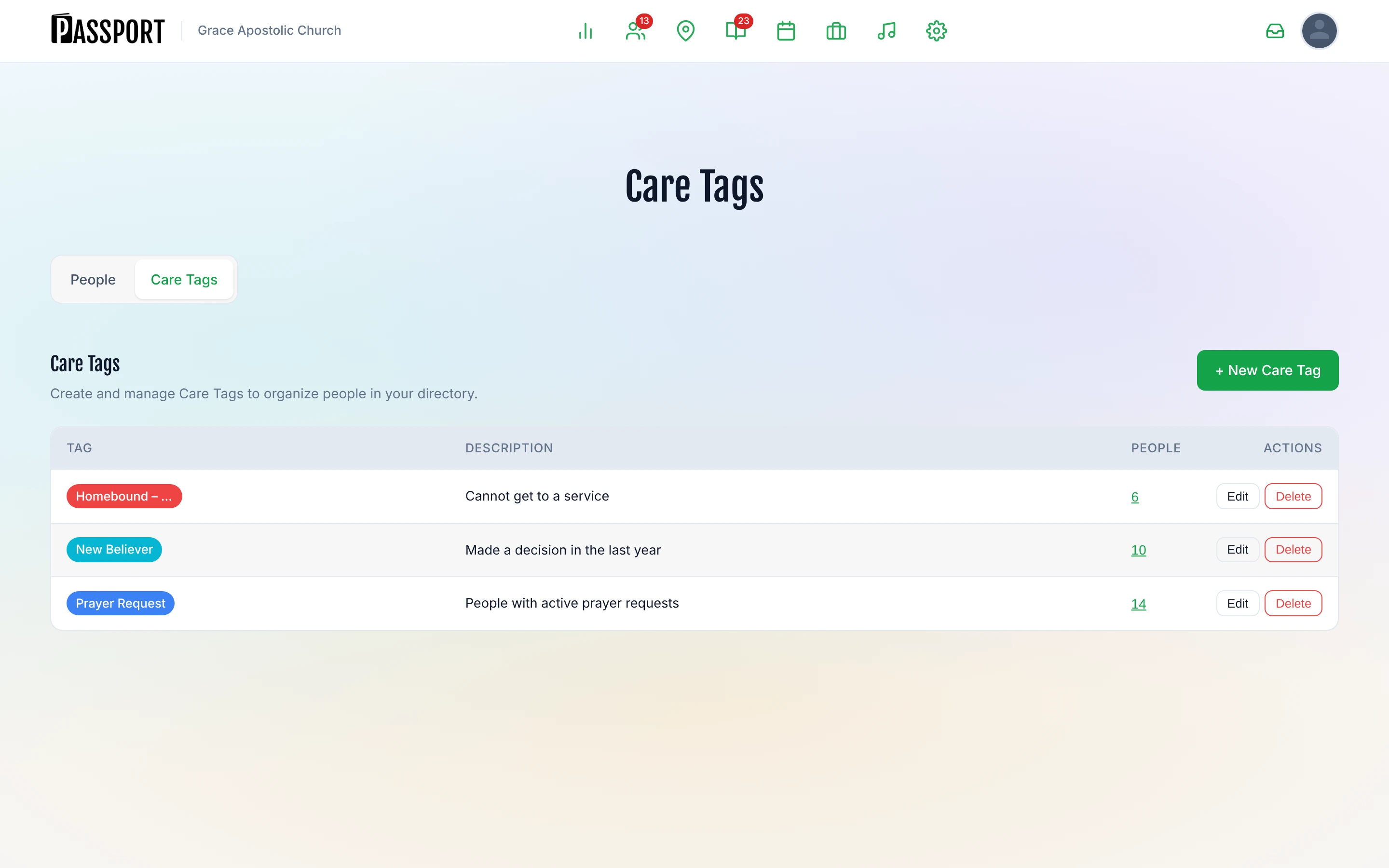
Care Tags let you label anyone in your directory so your team can quickly find and follow up with specific groups of people — prayer requests, homebound members, new believers, hospital visits, or any other category your ministry uses.
Tags are color-coded and visible on each person's profile. You can filter the People list by tag at any time.
Before you start
- You need an Admin or Leader role to create and manage Care Tags.
- Any staff member can view and apply existing tags from a person's profile.
Set up your Care Tags
Create the tags your church uses before applying them to people.
- Go to People in the main navigation.
- Click the Care Tags tab in the sub-navigation.
- Click + New Care Tag.
- Enter a tag name (required), choose a color, and add an optional description.
- Click Save.
The tag appears in the list immediately. The People column shows how many people currently carry that tag.
Edit a tag
- In the Care Tags list, click Edit next to the tag.
- Update the name, color, or description.
- Click Save.
Delete a tag
- Click Delete next to the tag.
- Confirm the deletion.
Deleting a tag removes it from every person it was applied to. This cannot be undone.
Apply a tag to a person
- Open the person's profile (People → search or browse → select their name).
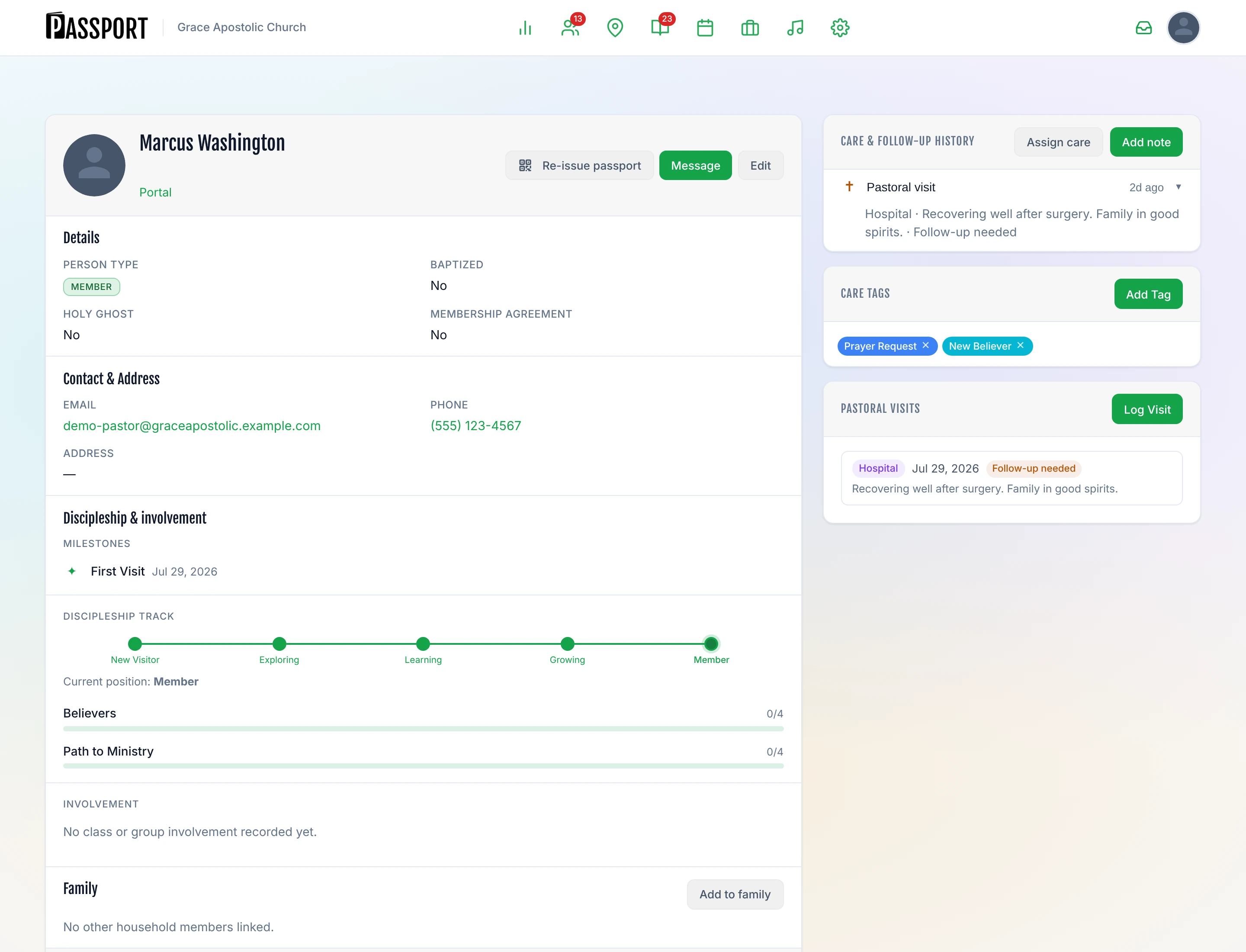
- Scroll to the Care Tags section on the right side of the profile.
- Click Add Tag.
- Select the tag from the list.
The tag appears as a colored pill on the profile. Click Done when you have finished adding tags.
Remove a tag from a person
In the Care Tags section of their profile, click the × on the tag pill to remove it.
Filter the People list by tag
- Go to People.
- In the filters row, open the Care Tag dropdown.
- Select a tag.
The list shows only the people who carry that tag. Combine with other filters — such as Church Membership or Follow-up Status — to narrow further.
Tips
- Use descriptive names so any volunteer can understand the tag without explanation (for example, "Homebound – Needs Visits" instead of "HB").
- Tags work well alongside Care Assignments: tag a person to note a need, then create a care assignment to route the follow-up to the right person or ministry.
- A tag's People count in the Care Tags list is a quick way to spot which groups are growing or need attention.
Next steps
- Act on what you tagged — Pastoral Care turns a tag into a visit with somebody's name on it.
- Find people to tag — Filter your People directory and tag in bulk.
- Catch new guests early — The Guests hub is where the people most likely to need a tag show up.