Calendar & Events
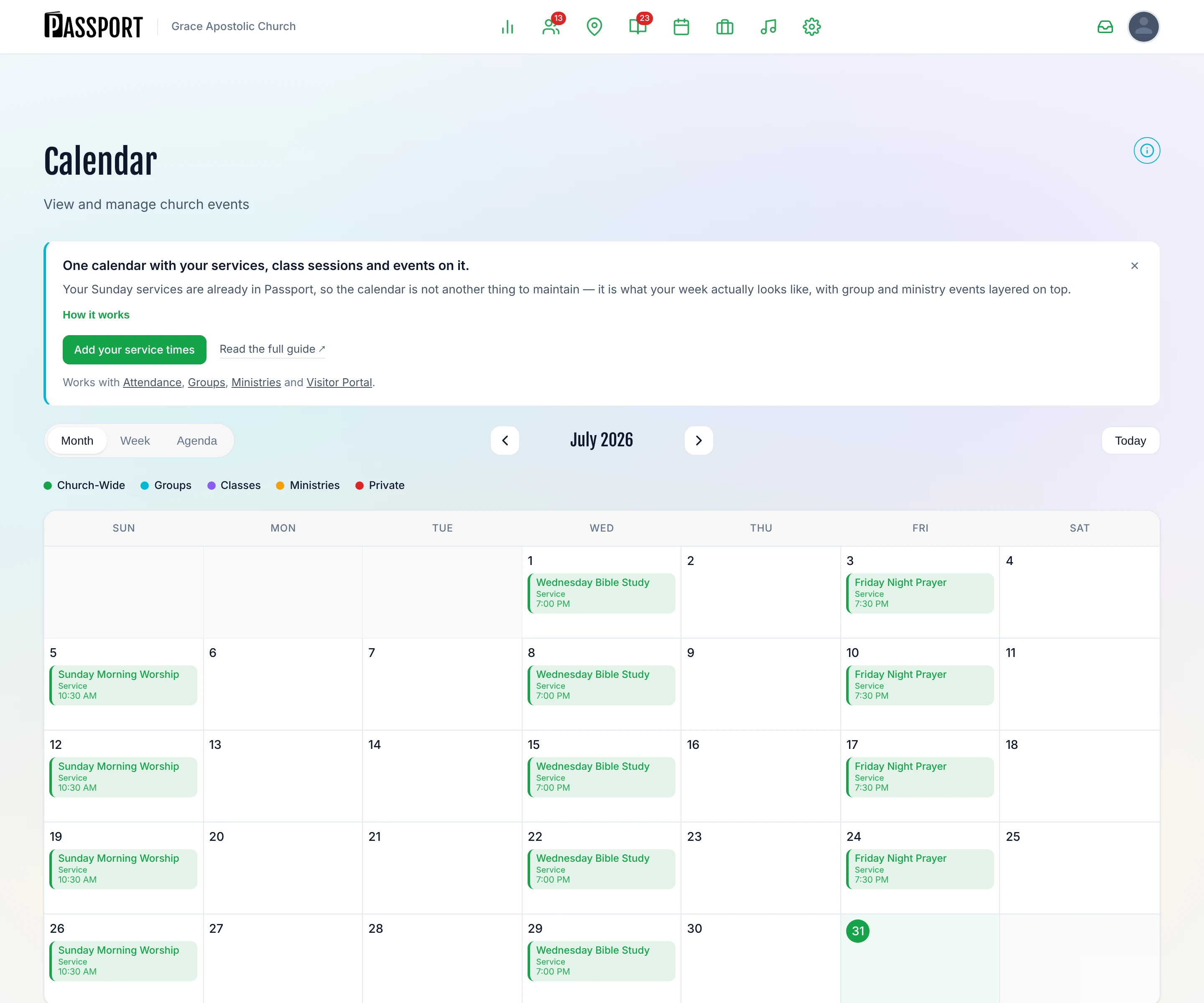
The calendar shows your whole week in one grid. Importantly, it is not another thing to maintain — most of what appears on it comes from information Passport already has.
What you need
- Calendar visible in your Events & Attendance menu
- Service times set up under Admin → Settings → Services — these fill most of the calendar for you
- Permission to view events, or admin access
Three sources, one grid
| Source | Where it comes from | You maintain it… |
|---|---|---|
| Services | Your recurring service schedule | Once, in Settings |
| Class sessions | Classes that have sessions switched on | When you set up the class |
| Events | Anything you add by hand | Per event |
This is why a church that has just set up service times already has a calendar. If your Sundays are not showing, your service times are not set up — fix that first, in Settings, not on the calendar.
Add an event
- Go to Events & Attendance → Calendar.
- Click a day on the grid, or use + Add event.
- Fill in the details:
| Field | What to enter |
|---|---|
| Title | What members will see on the grid |
| Date and time | Start and end. An all-day event leaves the times blank |
| Location | Where it is — shown to anyone who registers |
| Owner | Church, a group, or a ministry. This decides who can see it |
| Description | What it is, who it is for, what to bring |
| Registration | Off by default. Turn on to collect sign-ups |
- Click Save.
:::tip Do not add your Sunday services here Services come from Admin → Settings → Services and appear automatically. Adding them as events too gives you two of everything, and attendance is recorded against only one of them. :::
Change or cancel
Click an event to open it. Edit changes it in place — anyone already registered keeps their place. Cancel leaves it visible with a cancelled marker rather than deleting it, so people who signed up can see what happened; Delete removes it entirely, which is the wrong choice once anyone has registered.
For a service you are not holding — a cancelled Sunday, a week away — use cancelled dates on the service in Settings rather than deleting anything from the calendar. That keeps the schedule intact and stops your Plan Your Visit page offering guests a service that is not happening.
Kinds of event
Every event belongs to somebody:
- Church — visible to everyone
- Group — private to that group's members unless you mark it public
- Ministry — private to that team unless you mark it public
There is also a separate private switch that hides an event from everyone except admins. Use it for things that are on the calendar for planning reasons but are nobody else's business.
Registration
An event can ask people to register. When it does you can:
- Cap numbers with a maximum attendance
- Charge per person
- See who has signed up, and check them in on the day
Members register from the member portal with one tap. You are not collecting names in a spreadsheet.
Approvals
If Require approval for non-admin events is switched on in Settings, events created by anyone who is not an admin land in a pending queue rather than appearing on everyone's calendar. Approve them from the calendar.
This is worth turning on once you have more than a handful of group and ministry leaders creating things.
Views
- Month — the planning view
- Week — the working view
- Agenda — a list, which is the one to use on a phone
Common questions
My Sunday services are not on the calendar. They come from Admin → Settings → Services. If the calendar is empty on Sundays, that is where to look — do not add them as events, or you will have them twice.
A group event is not visible to the whole church. That is the default. Mark it public on the event if you want it on the church-wide calendar.
Attendance and events are separate. Event registration records who signed up. Attendance records who came. For services, attendance is the one that matters.
Can people outside the church register? Yes — switch on Public registration page and the event gets its own church-branded link that anyone can use without an account. See Community Events.
Does coming to an event make somebody a visitor? No. Attending a community event leaves somebody a prospect. "Visitor" means they have been to a church service, everywhere in Passport.
Next steps
- Record who came — Attendance Tracking.
- Where group events come from — Groups and Ministries feed the same grid.
- Collect something at sign-up — Custom Forms can act as event registration.