Song Library
The song library is every song your church sings, in one list, with the key you do it in and the CCLI number you report. Once a song is in the library you drop it into a running order by name instead of retyping it, and Passport can tell you when you last sang it.
What you can do
- Worship leaders keep one list of songs with keys, authors, and CCLI numbers.
- Worship leaders check when a song was last used before putting it in again.
- Planners add a song to a running order and set the key for that service only.
Step 1 — Add your songs
Go to Services → Songs and click Add song.
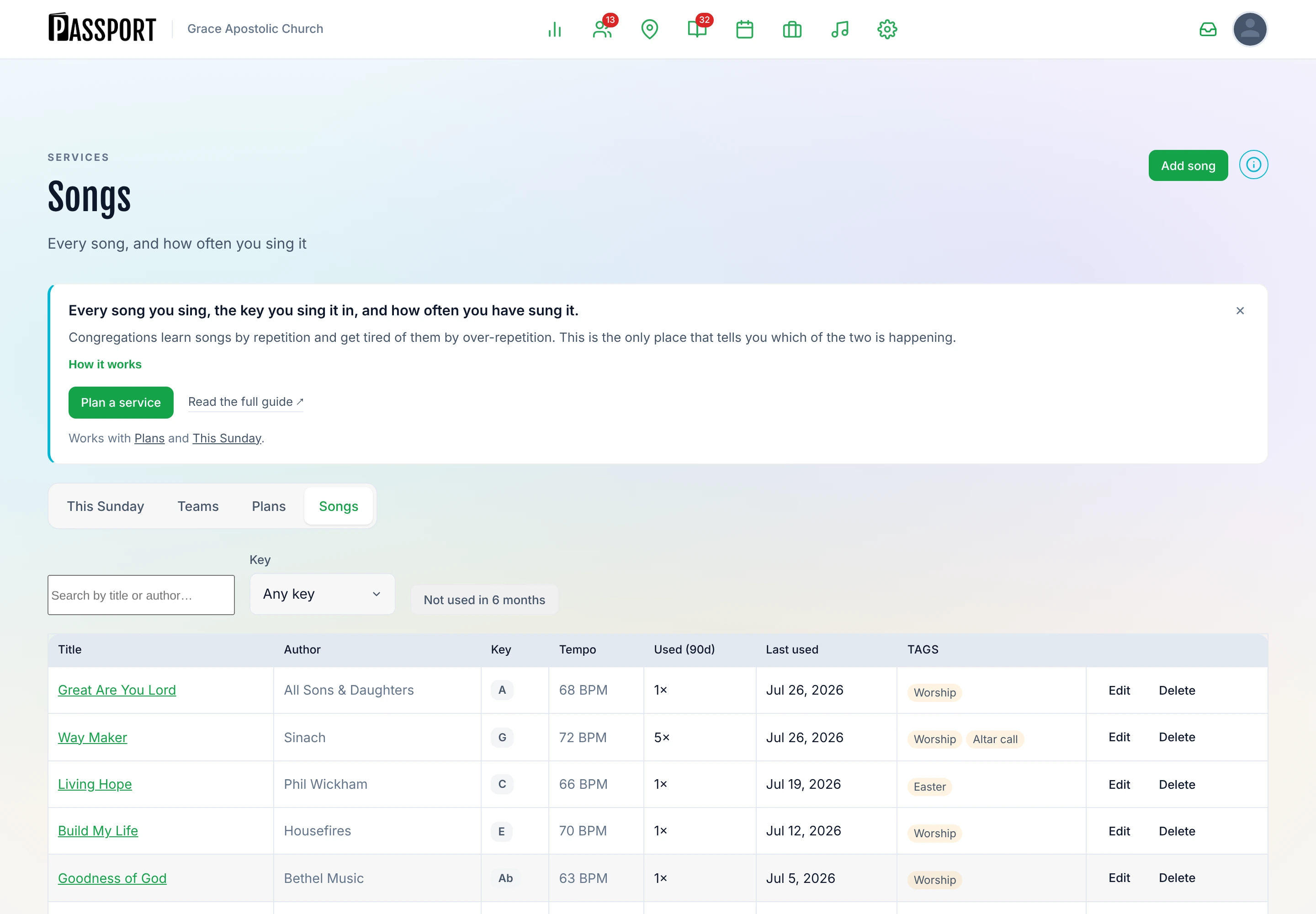
A song holds:
| Field | What it is for |
|---|---|
| Title | The only required field |
| Author | Who wrote it |
| CCLI number | What you report on your licence return |
| Key | The key you normally do it in |
| Tempo | Fast, mid, slow — however you describe it |
| Lyrics | The words, for reference |
| Chord chart URL | A link to the chart wherever you keep it |
| Tags | Your own labels — "Christmas", "communion", "altar call" |
None of it except the title is required. A library of titles and keys is genuinely useful on its own; you can fill the rest in as you go.
:::tip Get the CCLI numbers in early Filling them in as you add songs is a few seconds each. Reconstructing them at reporting time, from a year of running orders, is an afternoon. :::
Step 2 — Use a song in a plan
In the plan editor, add a song item and pick from the library. The song's title and its details come with it.
The key on the plan is separate from the key in the library. The library key is what you normally do it in; the service key on the plan is what you are actually doing it in that week — down a tone because the vocalist is ill, or up because a different person is leading. Setting it changes that Sunday and leaves the library alone.
That is why the same song can show a different key on two consecutive weeks without anything being wrong.
Step 3 — Check what you have been singing
Open a song to see where it has been used — the most recent plans that included it, with the date, the service, and the key you did it in each time.
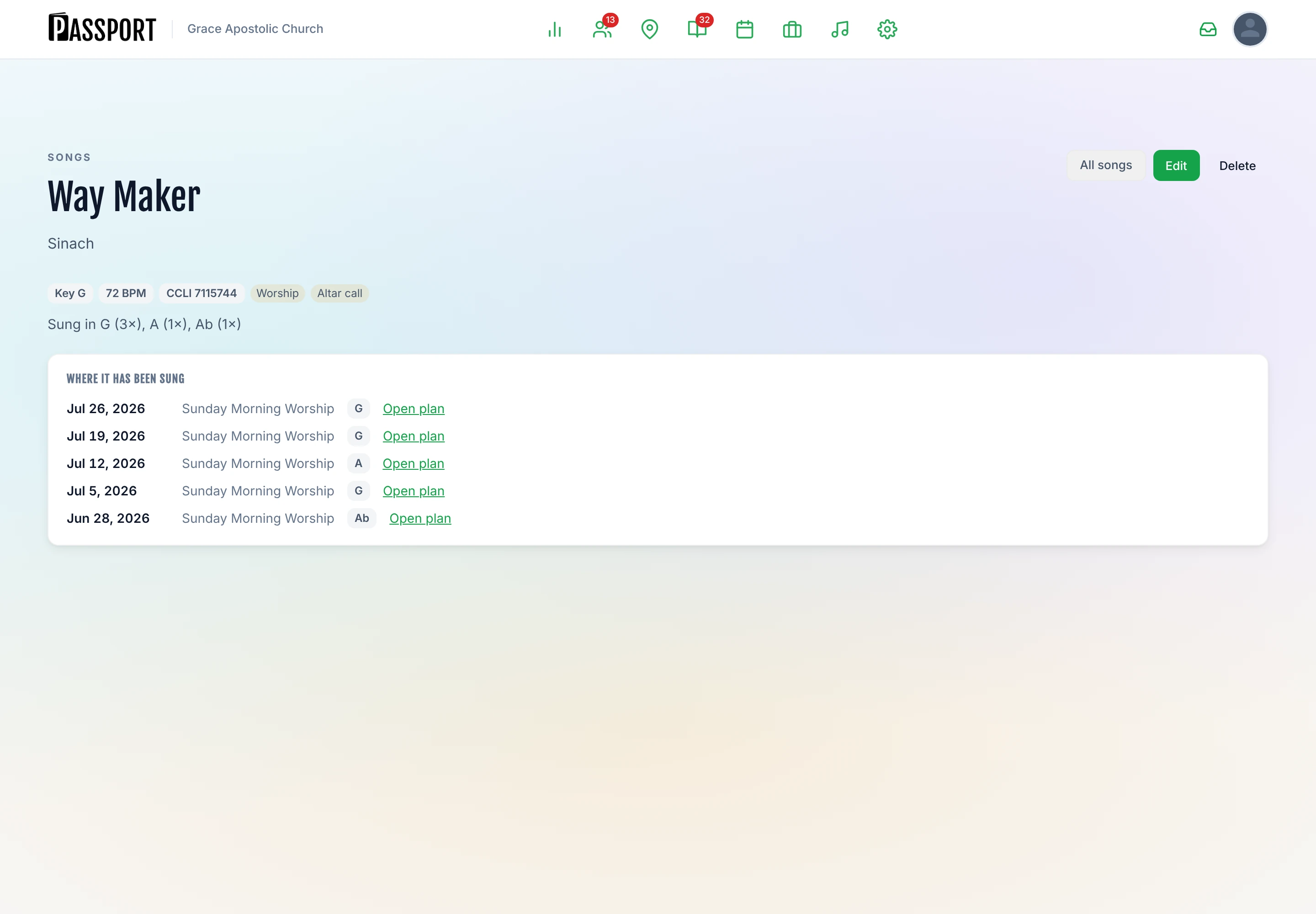
The library also tracks a couple of things across the whole collection: how many songs you have, and what you have used most this month. Both are on Services → This Sunday.
This is the answer to "have we done this one recently?", which is the question worship leaders actually ask and the one nobody can answer reliably from memory. Usage is worked out live from your plans, so it is always accurate and there is nothing to keep in sync.
:::note Usage comes from plans A song counts as used when it appears in a service plan for that date. If you sang something and never put it in the plan, Passport does not know about it. :::
Removing a song
Deleting a song removes it from the library.
Past plans are not rewritten — a running order stores the song's title itself, so last March's plan still reads correctly. What you lose is the song's own record and its usage history, and the song stops being offered when you build a new plan.
:::warning There is no archive Passport does not currently have a way to retire a song — to keep it and its history while taking it out of circulation. Deleting is the only option, and it is permanent. If you simply want to stop using something, the safest move is to leave it in the library and not pick it; a tag such as "retired" makes it easy to filter past. :::
Common questions
Can I import our existing song list? From Planning Center, yes — songs come across with the rest of the import. A Breeze import brings people, groups and events, but Breeze has no song library to bring, so those songs have to be added here. See Importing & Exporting Data.
Two people added the same song twice. Delete one. Check its usage first — the one with history in it is the one to keep.
Can volunteers see the lyrics and charts? They see the running order and the item notes marked for the team when the plan is published. See For Volunteers.
Does Passport report to CCLI for me? No. It stores the numbers and shows you what you used and when, which is what you need in order to make the return yourself.
Next steps
- Put them in an order — Planning a Service.
- Get the band rostered — Scheduling Your Team.
- Everything in this section — Services.