
Keep the guests who visit. Church management software built for guest follow-up
Passport texts your first-time guests a welcome, hands each follow-up to a named person within 48 hours, and shows you who came back. It works alongside Breeze or Planning Center, so your church database stays where it is.
- 30-day free trial, no charge today
- Cancel a monthly plan anytime
- Most churches are live in under 30 minutes

A guest fills out a card on Sunday. By Tuesday it’s in a stack on someone’s desk.

Guests decide quickly: in a 2023 Lifeway Research survey of churchgoers who had switched churches, 71% decided to attend regularly within three visits. Lifeway Research, 2023
Nobody decided to let that family go. The card went into the wrong pile, the volunteer thought the office had called, and the week ran out. Church visitor follow-up fails in the gap between people who each assumed someone else had it.
- Most U.S. Protestant churches (80%) ask guests to fill out a printed card so they can follow up; only 38% offer an online form. Lifeway Research, 2025
- Only 21% of church switchers say a welcoming team contacted them when they visited their current church, down from 28% in 2006. Lifeway Research, 2023
- 79% of church switchers say the way their current church welcomed visitors positively influenced their decision to attend regularly; 49% strongly agree. Lifeway Research, 2023
Passport gives every card somewhere to go the moment a guest fills it in, and a person whose name is on it.
Church guest follow-up softwareChurch visitor retention statistics
What does a guest’s first week look like with Passport?
Follow one family from the welcome card to the next Sunday. Every step is something Passport does today, and your team only has to make the phone call.
- Sunday, 10:42 AM
They scan the welcome card
The Alvarez family fills in your connection card on a phone. Passport adds them to the Guests hub.
- Sunday, 1:15 PM
A welcome text goes out
Their Guest Journey sends a thank-you while lunch is still on the table. Nobody had to remember.
- Monday, 9:00 AM
Maria gets the follow-up
A care assignment lands with a named person on your team, inside 48 hours of the visit.
- Tuesday, 6:30 PM
A real conversation
Maria calls, hears they are looking for a kids’ ministry, and logs it in one tap.
- Thursday, 12:10 PM
Ana texts back
Her reply arrives in the guest inbox, where anyone on the follow-up team can answer it.
- The next Sunday
They come back
Attendance from Passport, Breeze or Planning Center marks the return, and your retention report counts it.
Names and times are examples. Text timing and who gets each assignment are set by your church.
Keep Breeze or Planning Center. Add the follow-up.
Passport works alongside Breeze and Planning Center. Keep your church database where it is: your staff and volunteers go on using the system they know, and Passport handles follow-up with your guests.
Your volunteers keep the habits they have. Companion connects to both systems, including attendance, and includes unlimited staff seats, so every greeter can have a login.
Passport and Breeze, comparedPassport and Planning Center, compared
Breeze
- Import your people, tags, events and attendance history from Breeze.
- While the connection is set to keep Breeze updated, each new guest Passport captures is added to Breeze, matched to anyone already there so nobody is entered twice.
- If you take attendance in Breeze, Passport reads it from the Breeze events you match to your services, so it knows when a guest comes back.
Planning Center
- Import your people, households, groups, events, check-ins and services from Planning Center.
- If you check people in with Planning Center Check-Ins, Passport reads the check-ins for the events you match to your services, so it knows when a guest comes back. First-time guests checked in there start their follow-up in Passport.
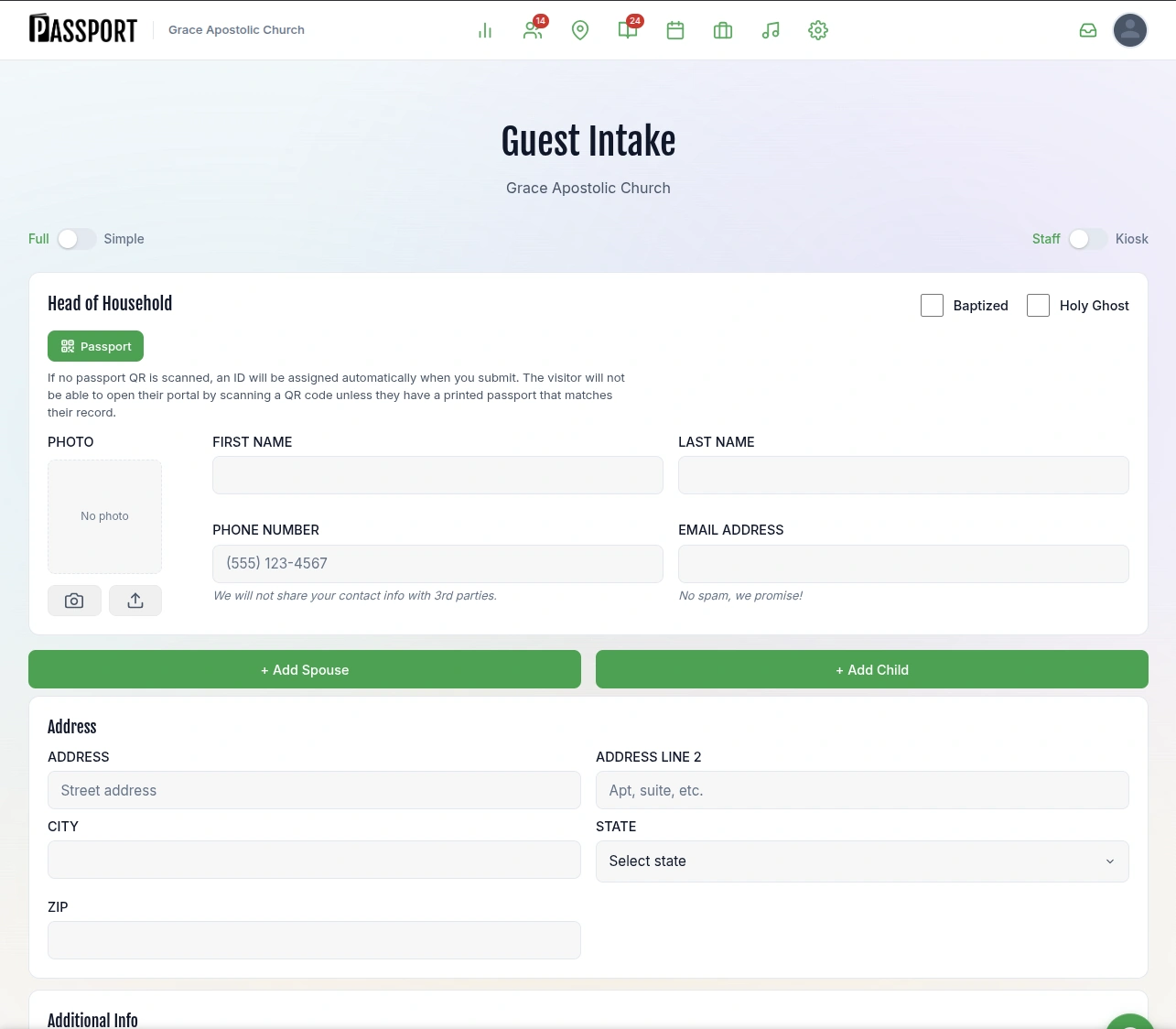
What does Passport look like inside?
These are real screens from the demo church. Open it in one click and try every one of them yourself.

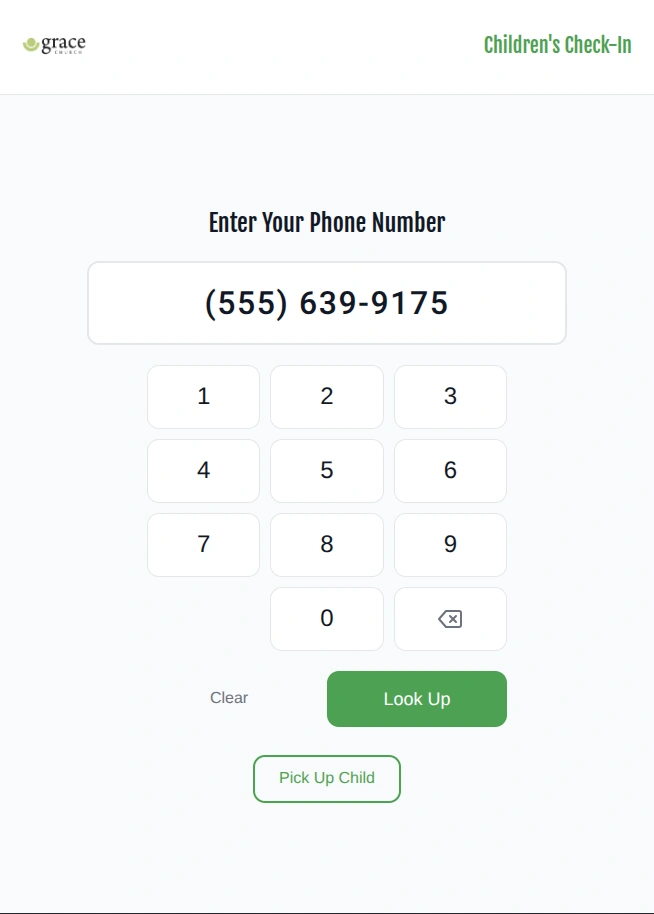
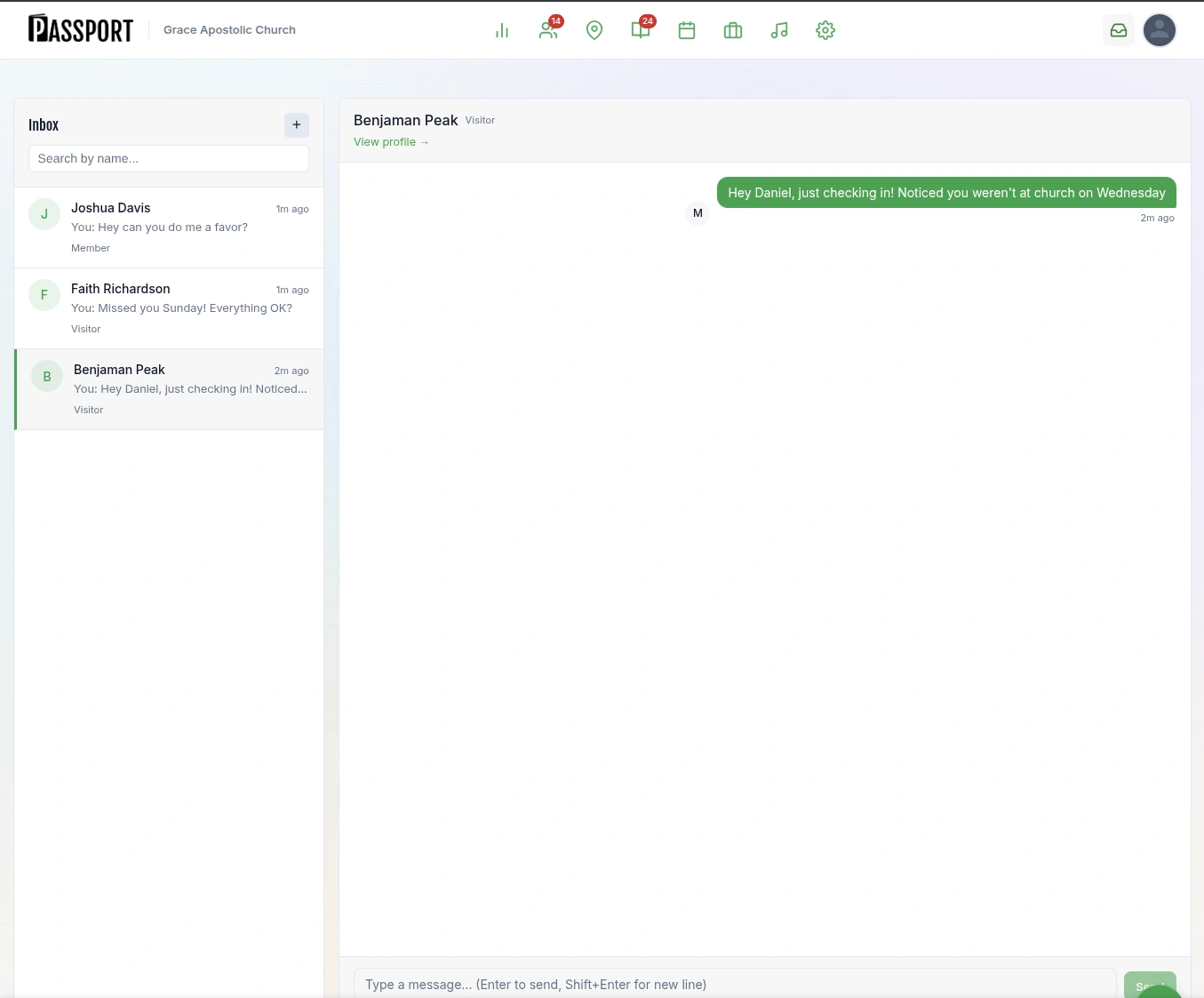
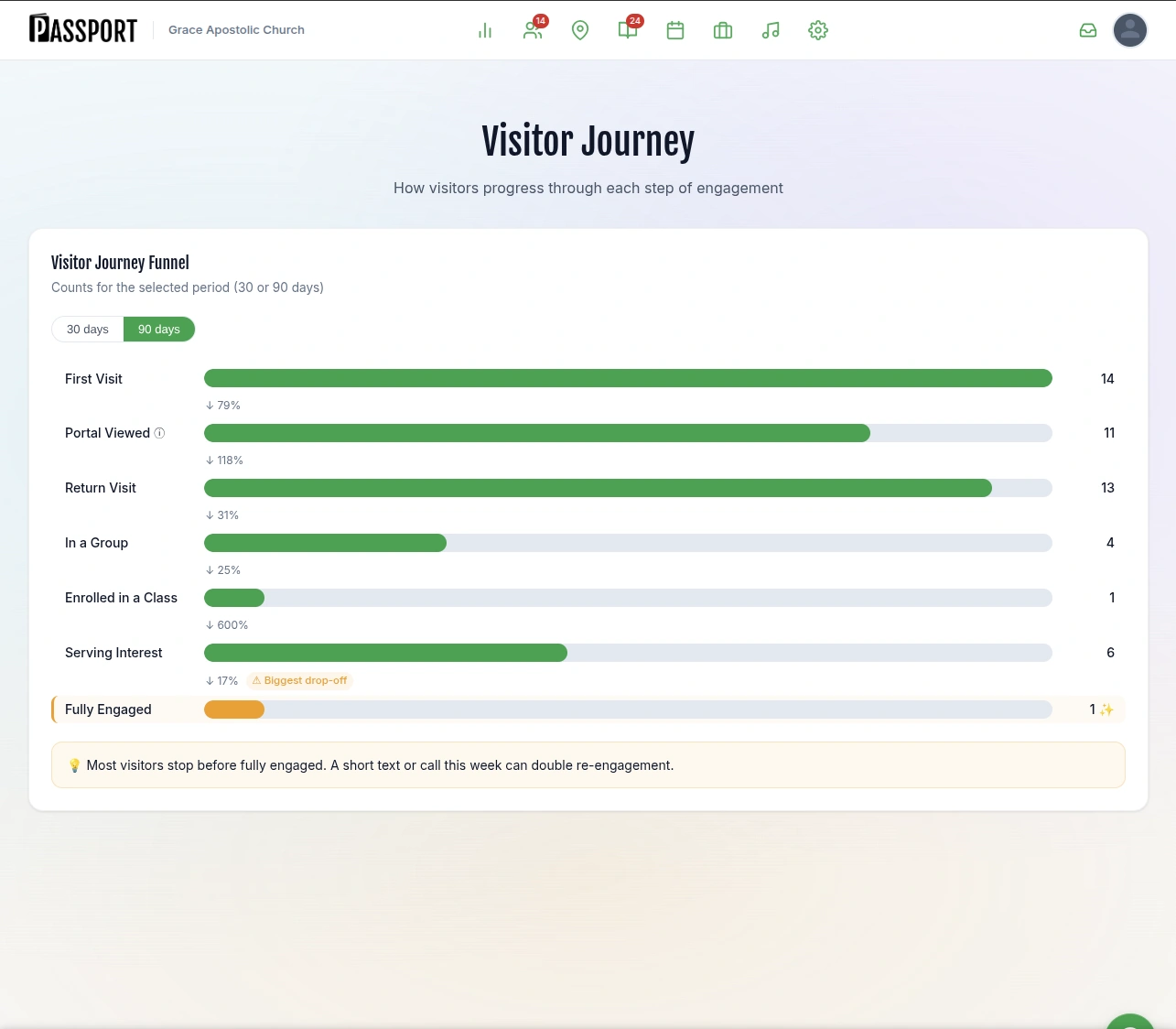
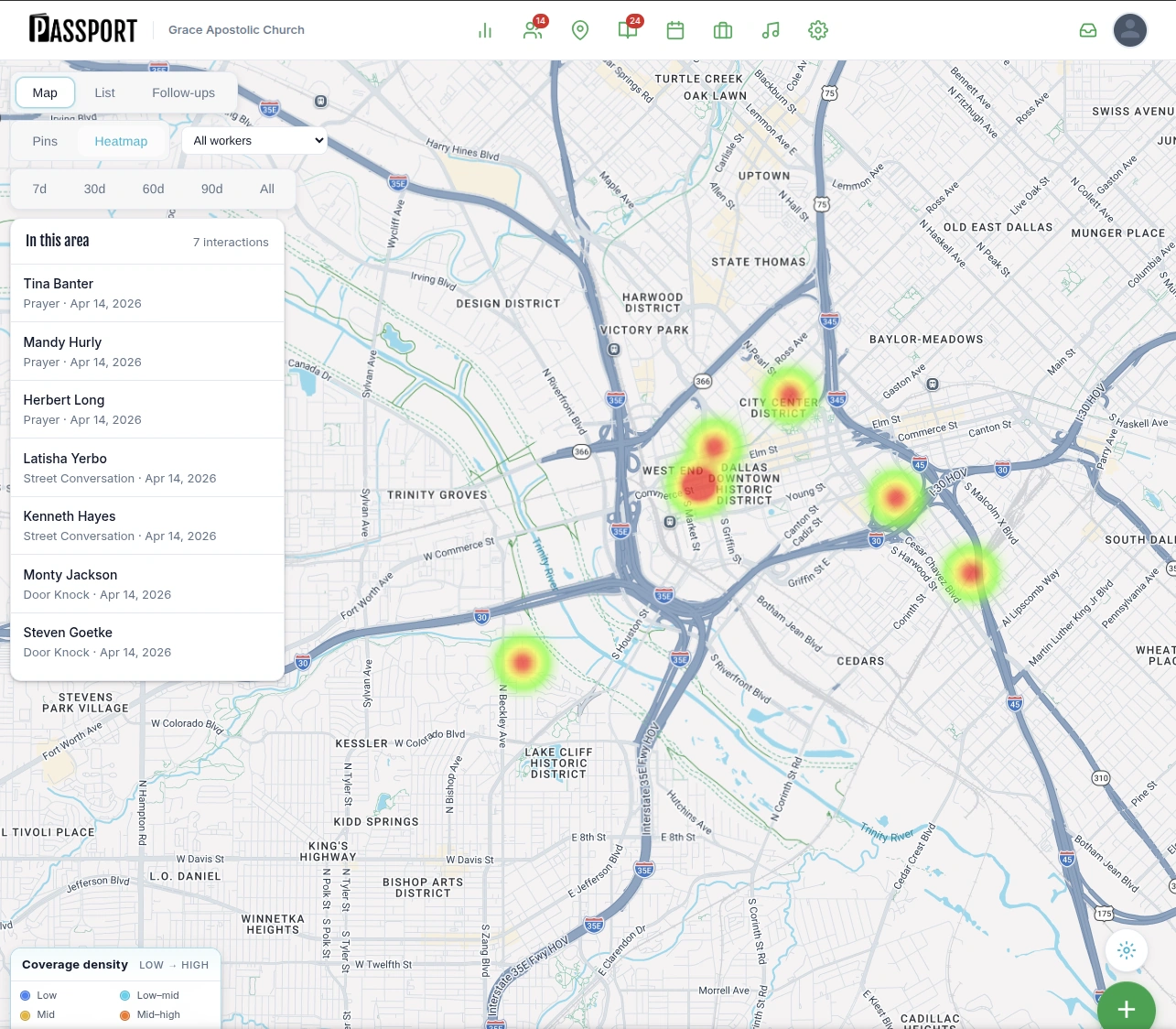
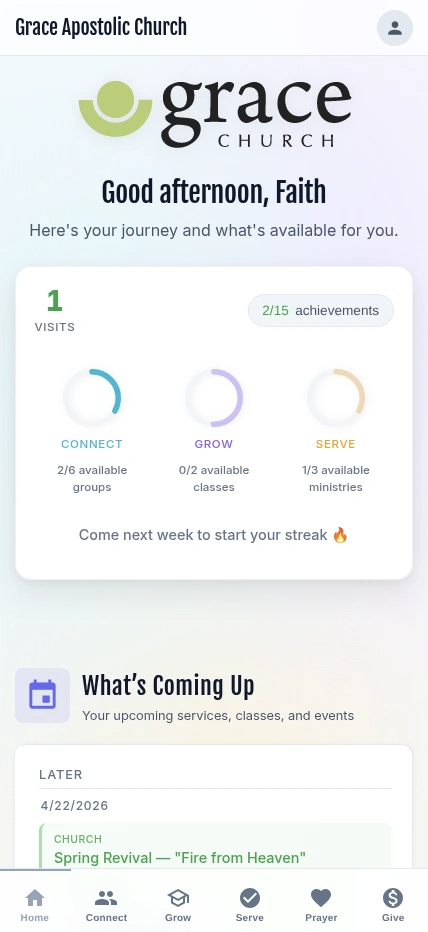
The Passport app for your congregation
Guests and members find groups, enroll in classes, explore ministries and share prayer requests from their phone. It’s free for your congregation on iPhone and Android.


Your pastor sees the week. Your volunteers get a short list.

Pastors and staff see the whole week on one screen
Open Passport on Monday and every guest from Sunday is there: who has been texted, who owns each follow-up, and who came back. Retention reports show the trend month by month, so you know whether the welcome is working.

Volunteers get their list on their phone
Each volunteer opens the Passport app and sees the guests assigned to them, with a phone number and notes from the welcome desk. They call, log what they heard in one tap, and any reply lands in the guest inbox.
Most churches are live in under 30 minutes. Import your people, print the QR welcome card, and turn on a Guest Journey before next Sunday.
How much does Passport cost?
Four flat prices per church, published here in full. Pick the plan that matches the job, and change it whenever you need to.
GoReach
Outreach teams meeting people in the community before they visit.
$9.95/mo
Companion
The follow-up planGuest follow-up for churches that keep Breeze or Planning Center.
$49/mo
Plus
Churches running everything in Passport.
$69/mo
Pro
Churches with more than one campus, or that want check-in by face recognition.
$99/mo
Each plan includes everything in the one above it. Yearly billing costs less than twelve monthly payments. Want to see what follow-up is worth to your church? Try the ROI calculator
What are Connect, Grow and Serve?
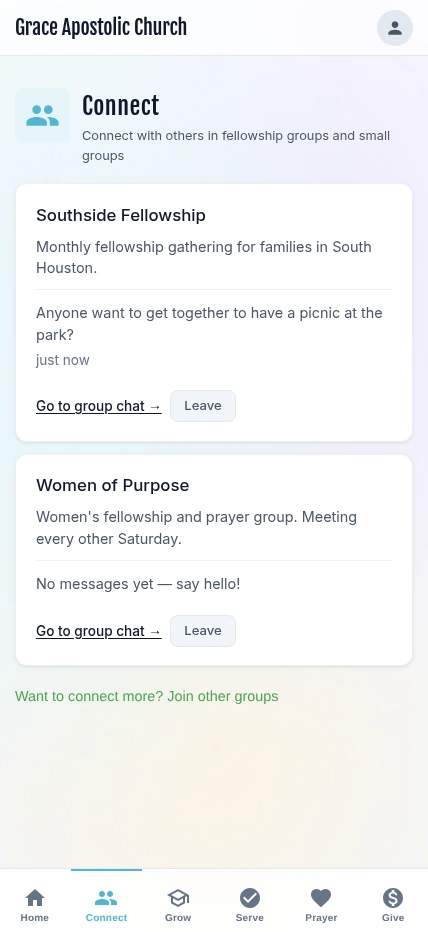
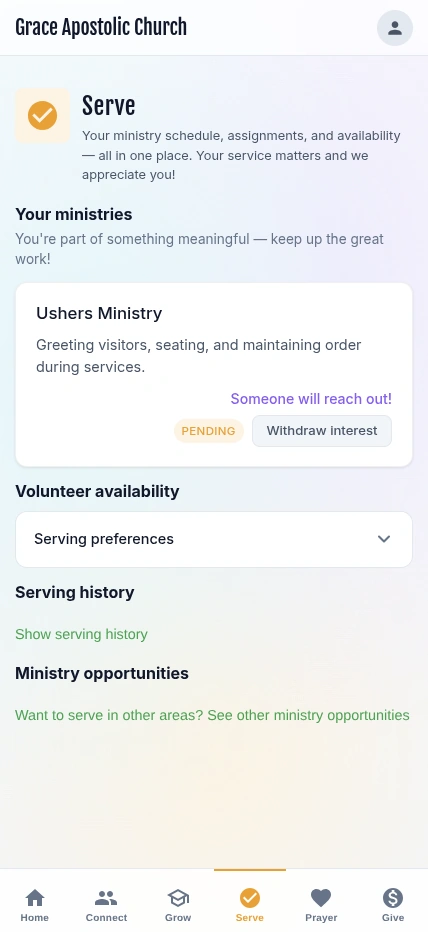
Connect, Grow and Serve are the three pillars Passport is organized around: the path from first visit to belonging. Guests connect to a group, grow through classes and next steps, and find a place to serve. Passport records each step, so your team can see who is moving and who needs a call.

Connect
Find your people
Newcomers browse groups and events on their phone and join one, so the second visit comes with a familiar face.

Grow
Take the next step
Classes and learning paths, in person or online, with prerequisites that show each person what comes next.

Serve
Find a place to help
Members see the ministries that need people, say they are interested, and the coordinator picks it up from there.
Questions churches ask before they start
Still deciding? The demo church has real guests, follow-ups and reports in it, and the pricing page lists every feature by plan.
Try the live demoSee pricingHow to build a visitor follow-up system
Most church management software is built for record-keeping, so follow-up becomes a tag or a workflow someone has to build and remember. Passport is built around one job: keeping the people who visit. Each first-time guest gets a care assignment for a named person within 48 hours, and Guest Journeys keep going until the guest is connected to a group, class or ministry.
Guests decide quickly: in a 2023 Lifeway Research survey of churchgoers who had switched churches, 71% decided to attend regularly within three visits, so the week after a first visit matters. Passport makes sure that week happens on time. Guests come in from your Visit page, connection card or QR welcome card, a Guest Journey sends the first text automatically, a named person gets the follow-up, and replies land in a guest inbox your team shares. Attendance shows you when a guest comes back.
Yes. Passport works alongside Breeze and Planning Center. Keep your church database where it is: your staff and volunteers go on using the system they know, and Passport handles follow-up with your guests. Import your people, tags, events and attendance history from Breeze. While the connection is set to keep Breeze updated, each new guest Passport captures is added to Breeze, matched to anyone already there so nobody is entered twice. If you take attendance in Breeze, Passport reads it from the Breeze events you match to your services, so it knows when a guest comes back. Import your people, households, groups, events, check-ins and services from Planning Center. If you check people in with Planning Center Check-Ins, Passport reads the check-ins for the events you match to your services, so it knows when a guest comes back. First-time guests checked in there start their follow-up in Passport.
Connect, Grow and Serve are the three pillars Passport is organized around. Connect helps newcomers find a group or event and build friendships. Grow offers classes and learning paths, in person or online. Serve helps people find a ministry that fits their gifts and lets coordinators manage who is interested.
Four flat-rate plans per church: GoReach at $9.95/month, Companion at $49/month, Plus at $69/month, Pro at $99/month. GoReach is for outreach, Companion adds guest follow-up alongside Breeze or Planning Center, Plus runs your whole church in Passport, and Pro adds AI attendance and more campuses. Every plan starts with a 30-day free trial, with no charge today.
Yes. The Passport app is free for your congregation on iPhone and Android. Guests and members use it to find groups, enroll in classes, explore ministries, share prayer requests and follow their own next steps. Your staff use the same app for their follow-up list.

See them again next Sunday.
Start Companion this week and your next first-time guest hears from you the same day. Or open the demo church and click through a guest’s first week yourself.
- 30-day free trial, no charge today
- Cancel a monthly plan anytime
- Most churches are live in under 30 minutes