
Connections volunteers
A short list of who to call this week and a guest inbox to answer replies, on the web or in the Passport app.
Companion and up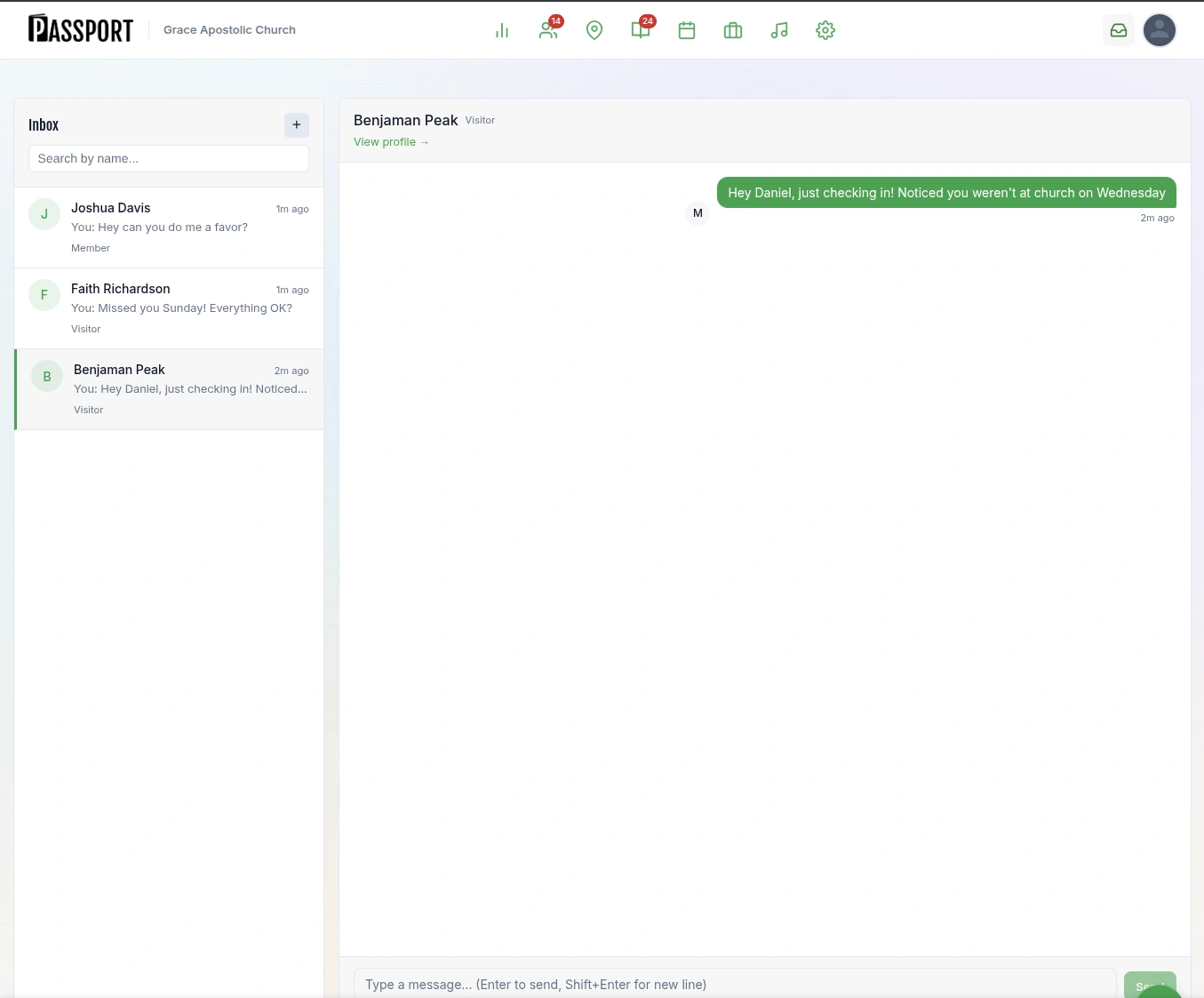
Passport is built around one job: keeping the people who visit. Every feature below follows a first-time guest from the Visit page to a place in a group, and each one shows the plan it comes on.


Every Passport church gets a Visit page, a public Plan Your Visit page where a guest picks a real upcoming service and says they’re coming. It’s live from the first day. Staff see the planned visit in the Guests hub, so a greeter can expect the family by name before they reach the door.
Guests choose an actual service time. Their stage moves to Coming, and the Guests hub shows who to expect this week.
A map of nearby prospects for door-to-door teams, with territory planning and coverage. Each printed prospect card carries a QR code unique to whoever handed it out, so you can see which conversations turned into visits.
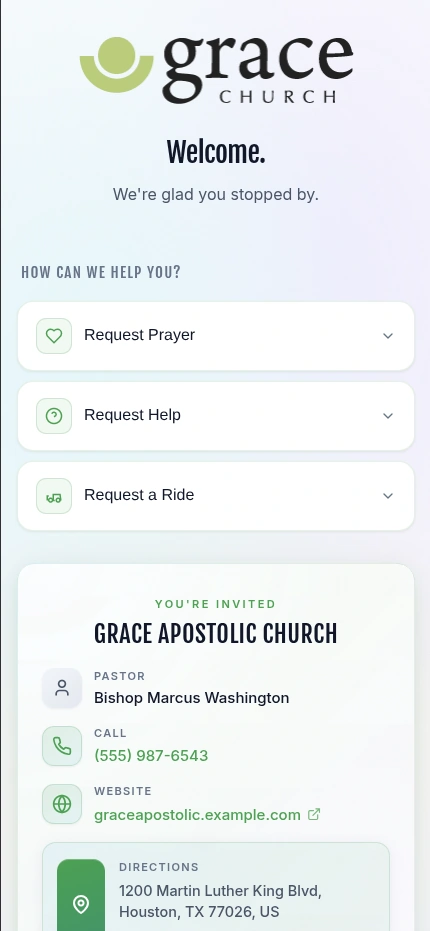
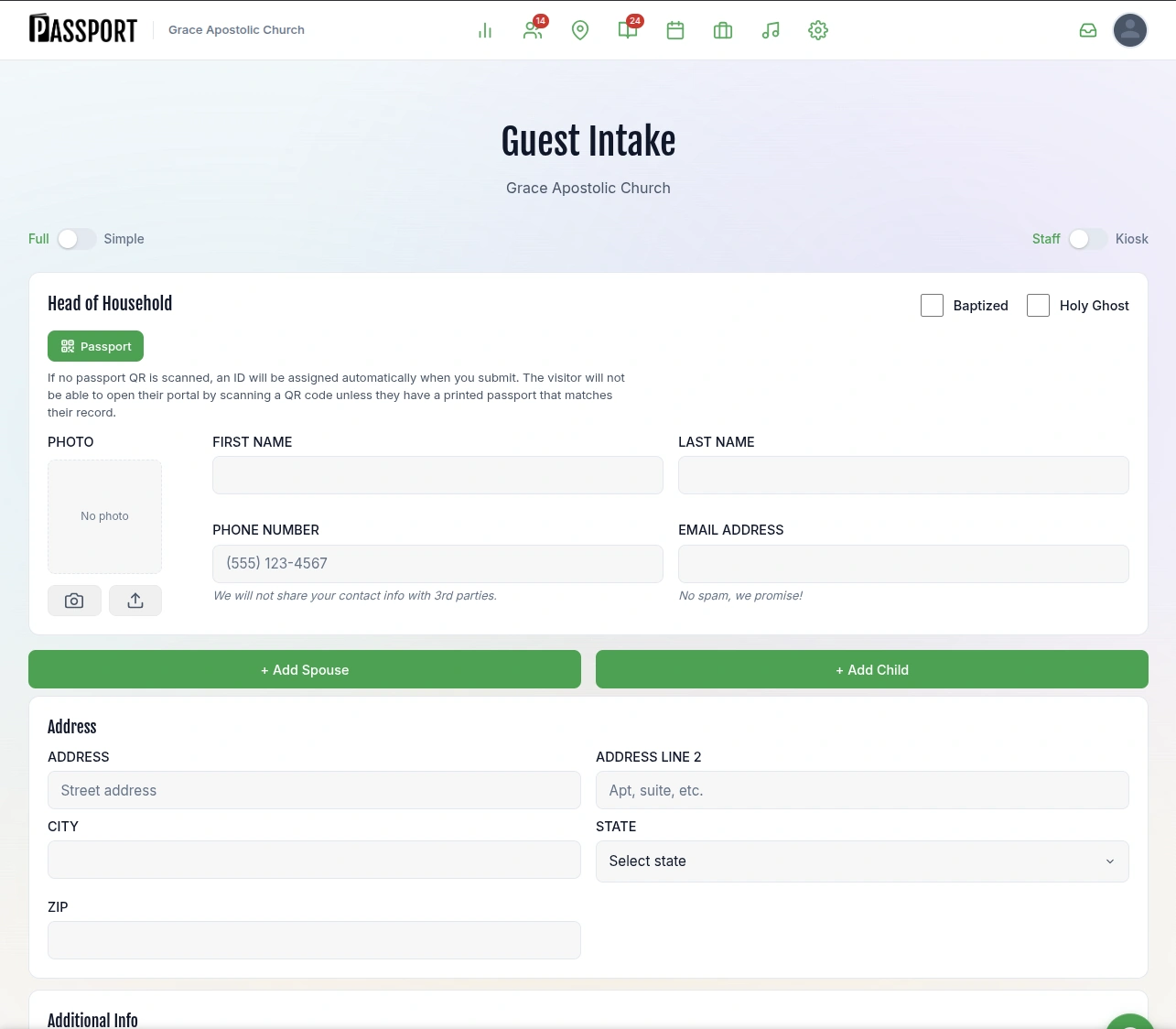
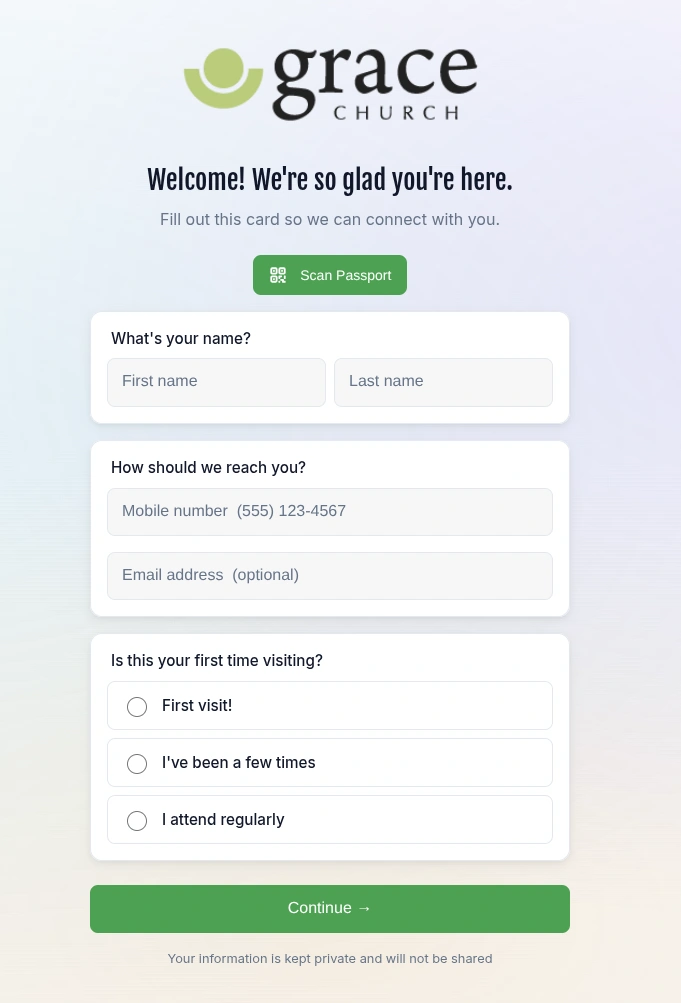
Put a QR welcome card on seat backs, the welcome desk or the bulletin. A guest scans it and fills in a short connection card on their own phone, and greeters can add a whole household at the desk with Guest Intake. Either way, the guest is in the Guests hub the moment the form is sent.
One printed QR code opens your church’s connection card on the guest’s phone. It asks their name, how to reach them and whether this is their first visit.
A full or simple form for the welcome desk, with a spouse and children added to the same household. It switches to kiosk mode for a tablet on a stand.
When a first-time guest is recorded, Passport creates a care assignment for a named person within 48 hours and starts a Guest Journey. Journeys send texts and emails on a schedule and hand tasks to people. They keep going until the guest is connected to a group, class or ministry.
A welcome text goes out in your church’s name.
Marcus gets a care assignment to call Faith.
Faith texts back. The reply lands in the guest inbox.
An email about groups for young families.
Ten automatic sequences, each anchored to something the guest actually did. A step is a text, an email, a task for a person or a staff alert.
Every first-time guest has an owner. The assignment sits on that person’s Today list with the guest’s details until it’s done.
Replies to Journey texts arrive in one shared inbox, so whoever is on follow-up this week can answer.
Calls, visits and notes, each with a named owner. Requests for prayer, a ride or help from a prospect card become tasks too.
Read how the whole follow-up process fits together in church guest follow-up software, or see the stages a guest moves through in the Passport glossary.
Passport reads attendance from wherever you already take it. If you use Planning Center Check-Ins or take attendance in Breeze, those records come in for the services you match. Anyone they missed takes one tap on the Today page, and the guest moves to Came back.
Nobody sets a guest’s stage by hand. Passport works it out from attendance, visit plans and connections, and the Guests hub’s Insights tab shows where guests came from and what a first visit cost. See the full Breeze connection and Planning Center connection.
Staff seats are unlimited from Companion up, so every volunteer who makes a call can have their own login and see only what their role allows.
A short list of who to call this week and a guest inbox to answer replies, on the web or in the Passport app.
Companion and upThe Today page answers one question on Monday morning: who came back, who is waiting to hear from someone, who is new, and who wrote back.
Companion and upThey set up the Visit page and Journeys, connect Breeze or Planning Center, and decide what each role can see with roles and permissions.
Companion and up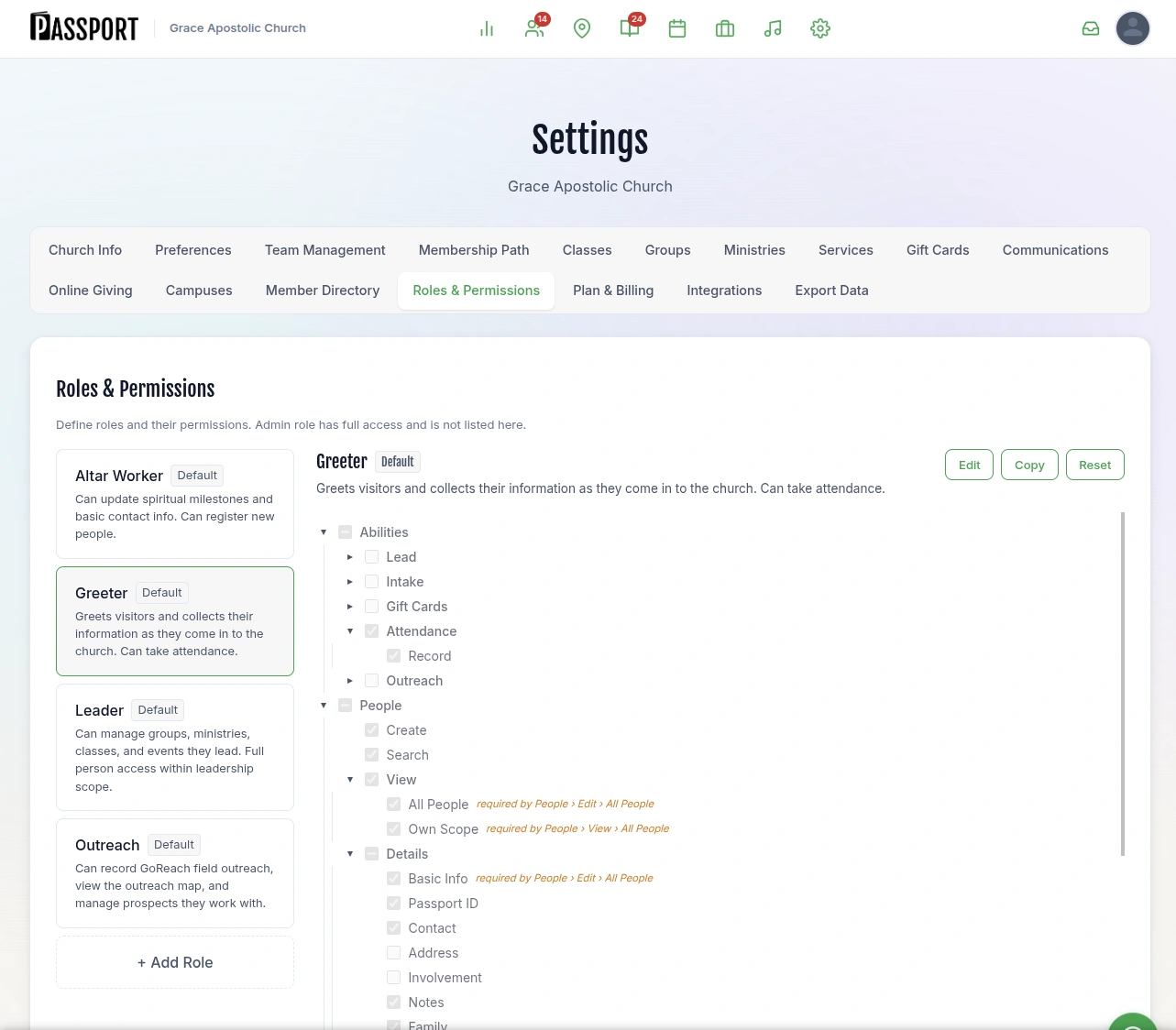
GoReach shows where your team has knocked, prayed and talked, and who is nearby to visit next.
GoReach and up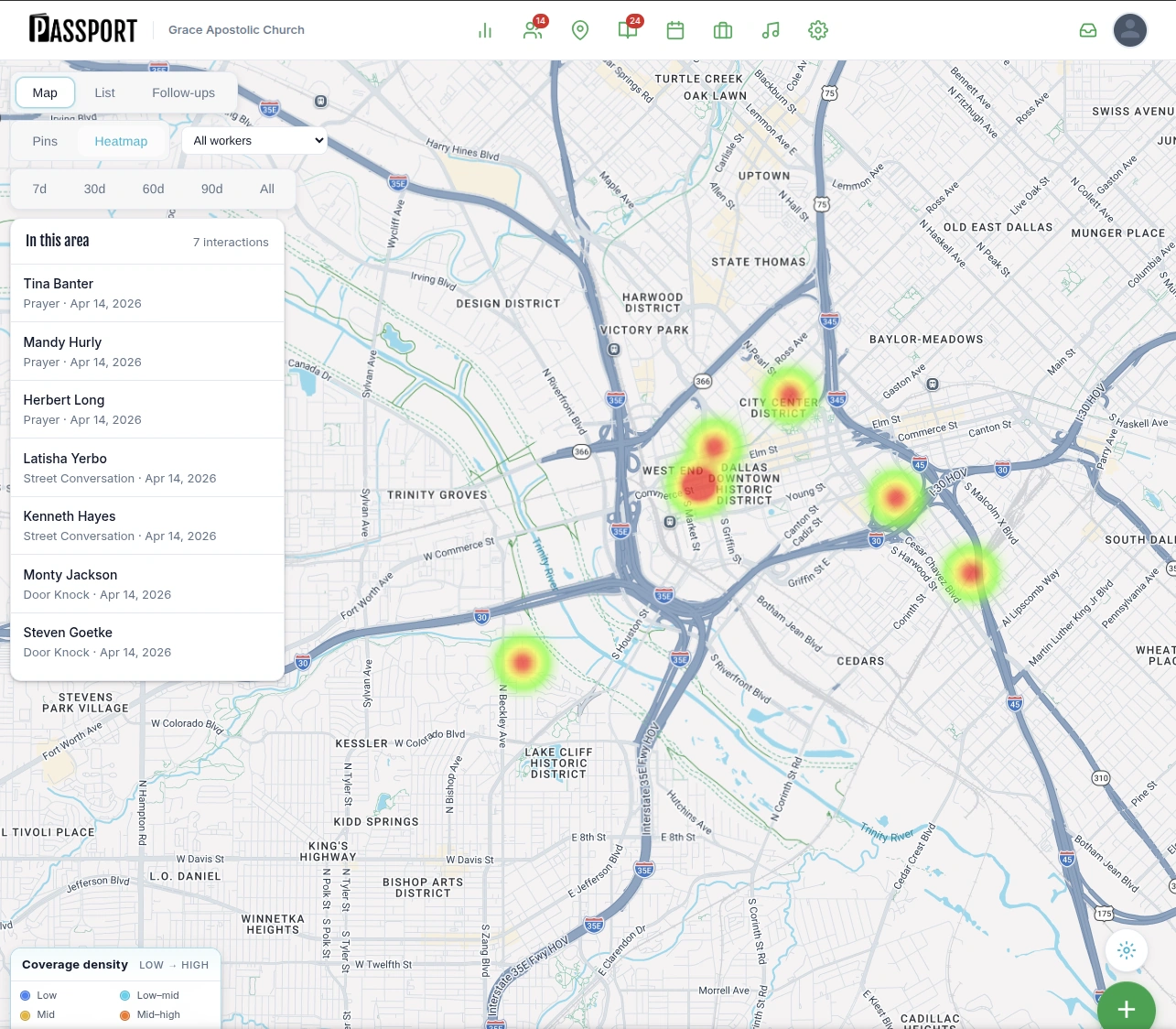
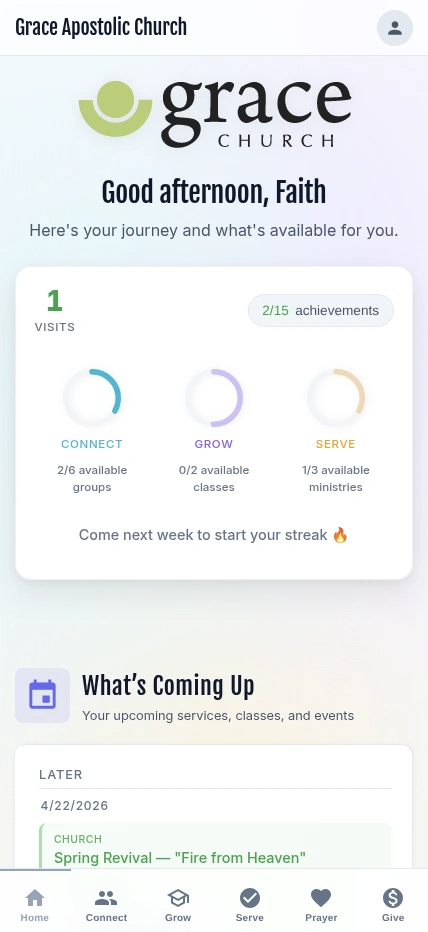
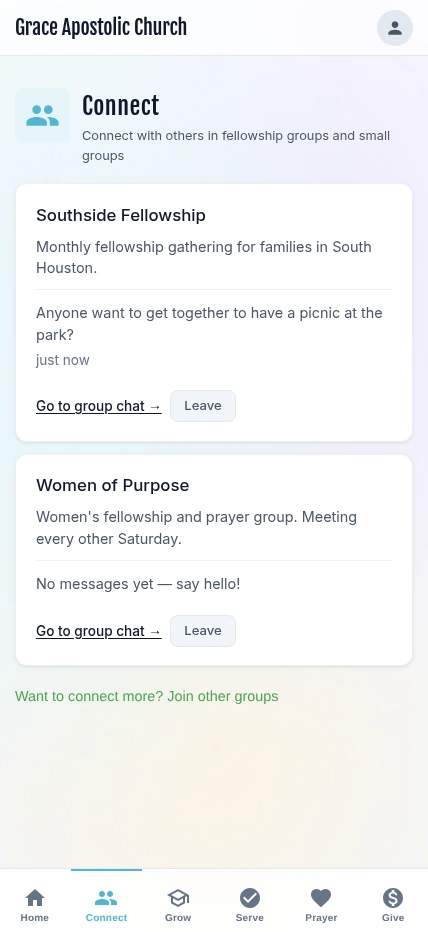
The Passport app for iOS and Android is included on every plan. When you run groups, classes, serving and giving in Passport on Plus, members join a group, enroll in a class and sign up to serve from their phone, arranged under Connect, Grow and Serve.
Members reach the portal through a personal link, and the app signs in with a phone number and a one-time code. The security page explains exactly how that works.


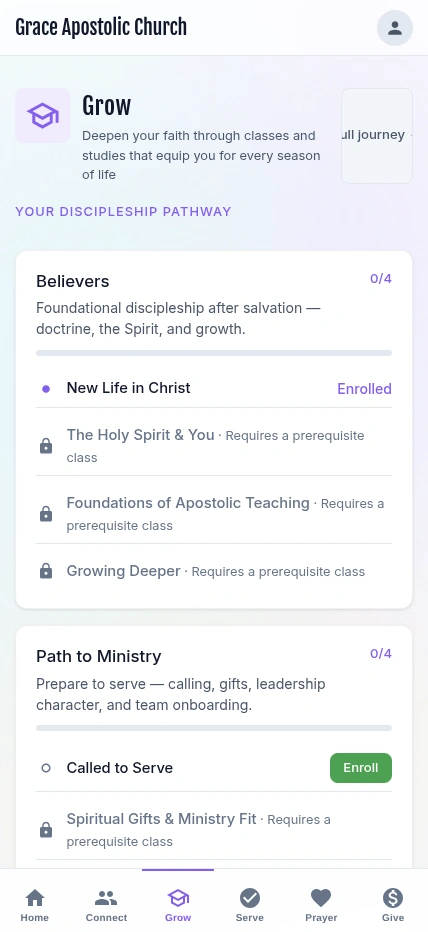
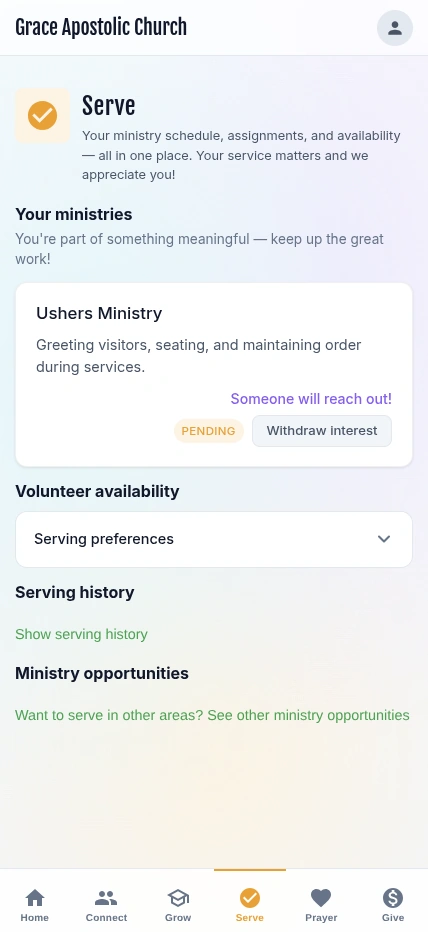
Plus ($69/month) runs the whole church in Passport, for churches ready to keep everything in one place. Pro ($99/month) adds AI attendance, analytics exports and up to 5 campuses.
One directory with families linked, follow-up status, baptism and membership details, and a CSV export whenever you want it.
Plus and up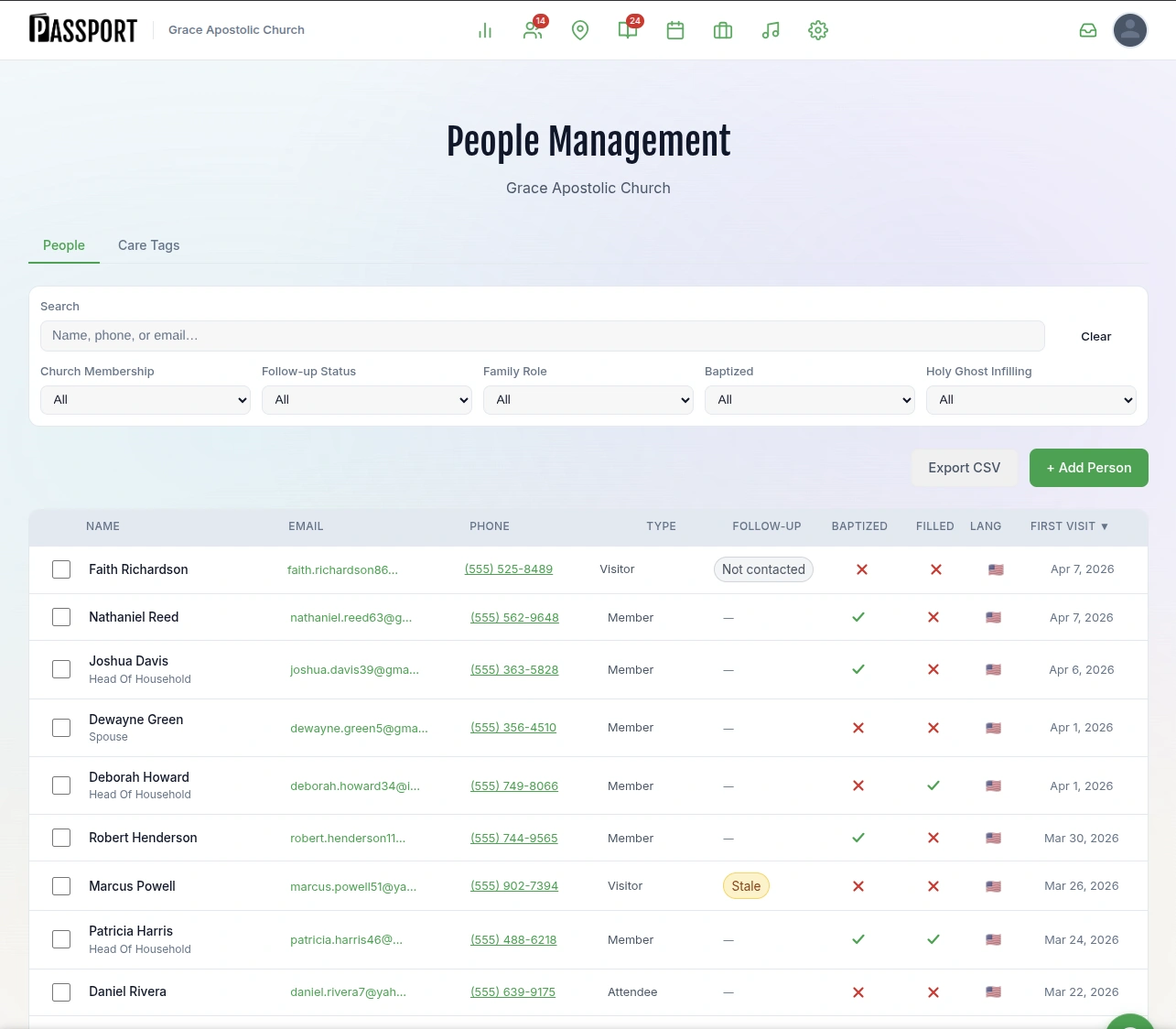
Parents look up by phone, pick children and rooms, and get a security code while a label prints at the desk.
Plus and up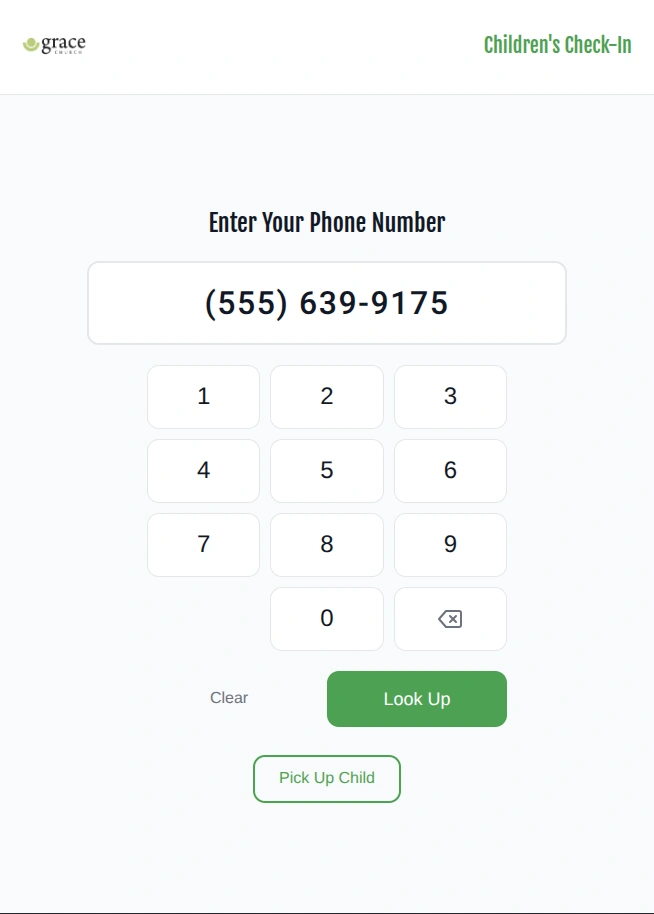
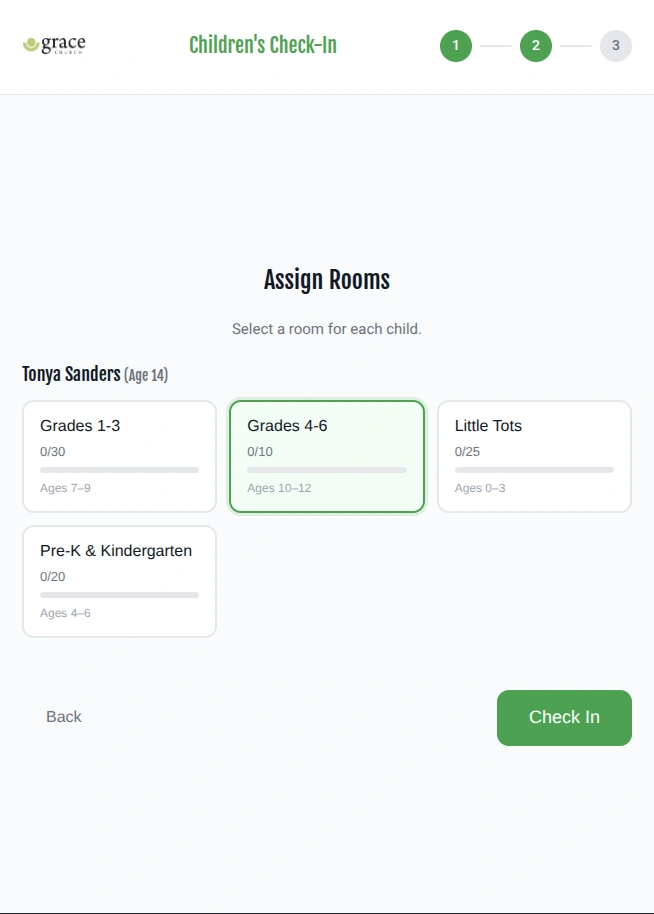
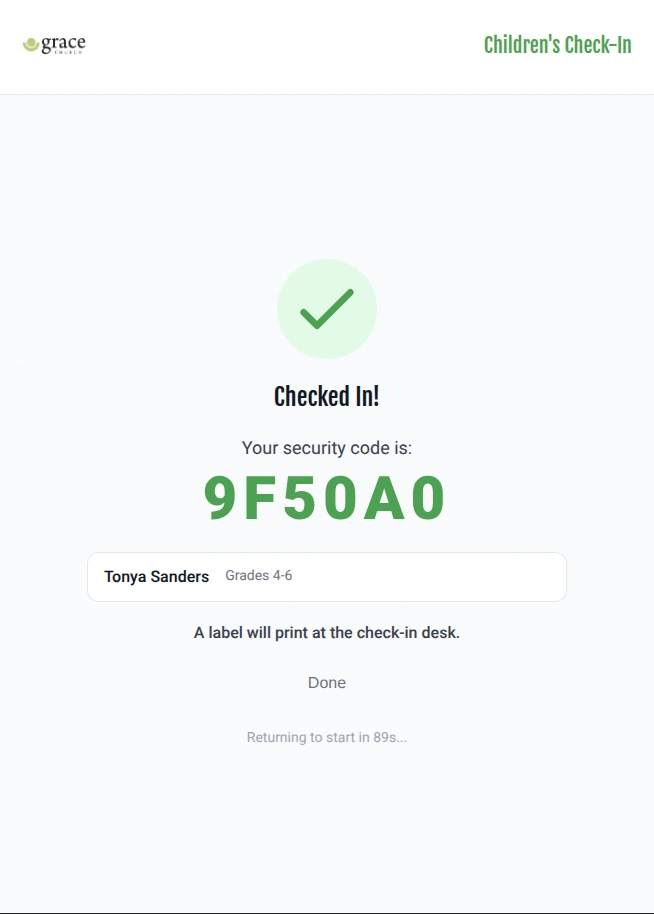
Classes can require a prerequisite, groups have their own chat, and ministry leaders schedule their teams.
Plus and upOpt-in face-recognition check-in for the regulars your church enrolls, with staff confirming what it finds. It stays off until a named administrator accepts responsibility for it in writing.
Pro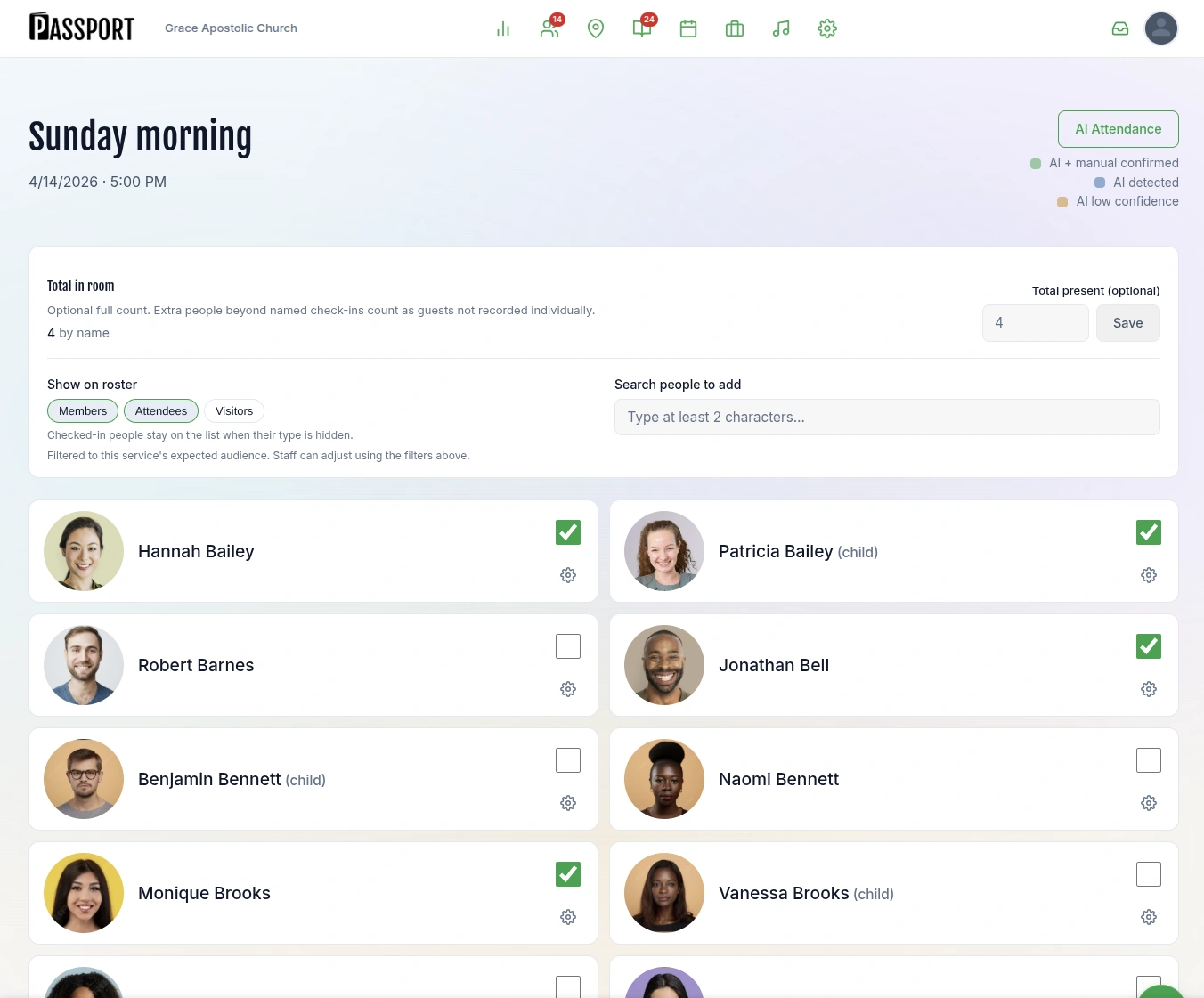
Each plan includes everything in the plans to its left. Prices are flat per church, and texts and emails are billed per message.
| Feature | GoReach$9.95/month | Companion$49/month | Plus$69/month | Pro$99/month |
|---|---|---|---|---|
| Reach people before they visit | ||||
| GoReach map with territory planning and coverage | ||||
| Prospect cards and prospect follow-up | ||||
| iOS and Android app | ||||
| CSV export of your own data | ||||
| Follow up with guests | ||||
| Guests hub and Visit page | ||||
| Connection card and QR welcome card | ||||
| Guest Journeys with automatic texts | ||||
| Guest inbox your follow-up team can answer | ||||
| Follow-up tasks with a named owner | ||||
| Retention reports | ||||
| Breeze and Planning Center connection, including attendance | ||||
| Run the whole church | ||||
| People directory, groups, classes and ministries | ||||
| Check-in, including kids check-in | ||||
| Online giving | ||||
| Service planning | ||||
| Pastoral care and attendance alerts | ||||
| Custom forms and workflows | ||||
| Analytics | ||||
| More than one campus | ||||
| AI attendance (opt-in face-recognition check-in) | ||||
| Analytics exports | ||||
| Limits | ||||
| Staff seats | 5 | Unlimited | Unlimited | Unlimited |
| Campuses | 1 | 1 | 1 | 5 |
Companion, at $49/month. It includes the Guests hub and Visit page, Guest Journeys with automatic texts, the connection card and QR welcome card, the guest inbox, follow-up tasks with a named owner, retention reports, and the Breeze and Planning Center connection. Staff seats are unlimited.
Passport works alongside Breeze and Planning Center. Keep your church database where it is: your staff and volunteers go on using the system they know, and Passport handles follow-up with your guests. Passport imports your people from either system and reads attendance from Breeze or Planning Center Check-Ins, so it knows when a guest comes back. With Breeze, each new guest can also be added back into Breeze.
Yes, on Plus ($69/month). Plus adds the people directory, groups, classes and ministries, check-in including kids check-in, online giving through Stripe, service planning, pastoral care and attendance alerts, and custom forms and workflows.
No. AI attendance is a Pro feature and it starts switched off. It cannot be turned on until a named administrator accepts responsibility for it in writing, and it only recognizes people your church has enrolled. A person’s face template is deleted when they are removed or ask.
Yes. Texts and emails are billed per message on top of the plan price, so your church pays for what it actually sends. The pricing page lists how messaging is billed.
Yes, two ways. The live demo opens a fully populated church account in one click, with no sales call. The 30-day free trial starts on Companion; a card is collected at signup and nothing is charged today.

Open the live demo for a fully populated church account, or start a 30-day trial on Companion and send your first welcome text this Sunday.